For Edmonton auto dealers, inventory is not just a list of vehicles sitting on the lot. It is cash, financing, floor plan interest, aging stock, repair costs, reconditioning expenses, GST/HST records, profit margins, and sales opportunities all tied together.
That is why choosing the right inventory tracking system matters.
Many small and mid-sized auto dealers in Edmonton start with either Google Sheets or Microsoft Excel because both are affordable, flexible, and familiar. But when your dealership grows, when units move faster, when multiple people need access, or when vehicle costs become harder to track, the wrong spreadsheet setup can create expensive problems.
So which one actually works better for Edmonton auto dealers: Google Sheets or Excel?
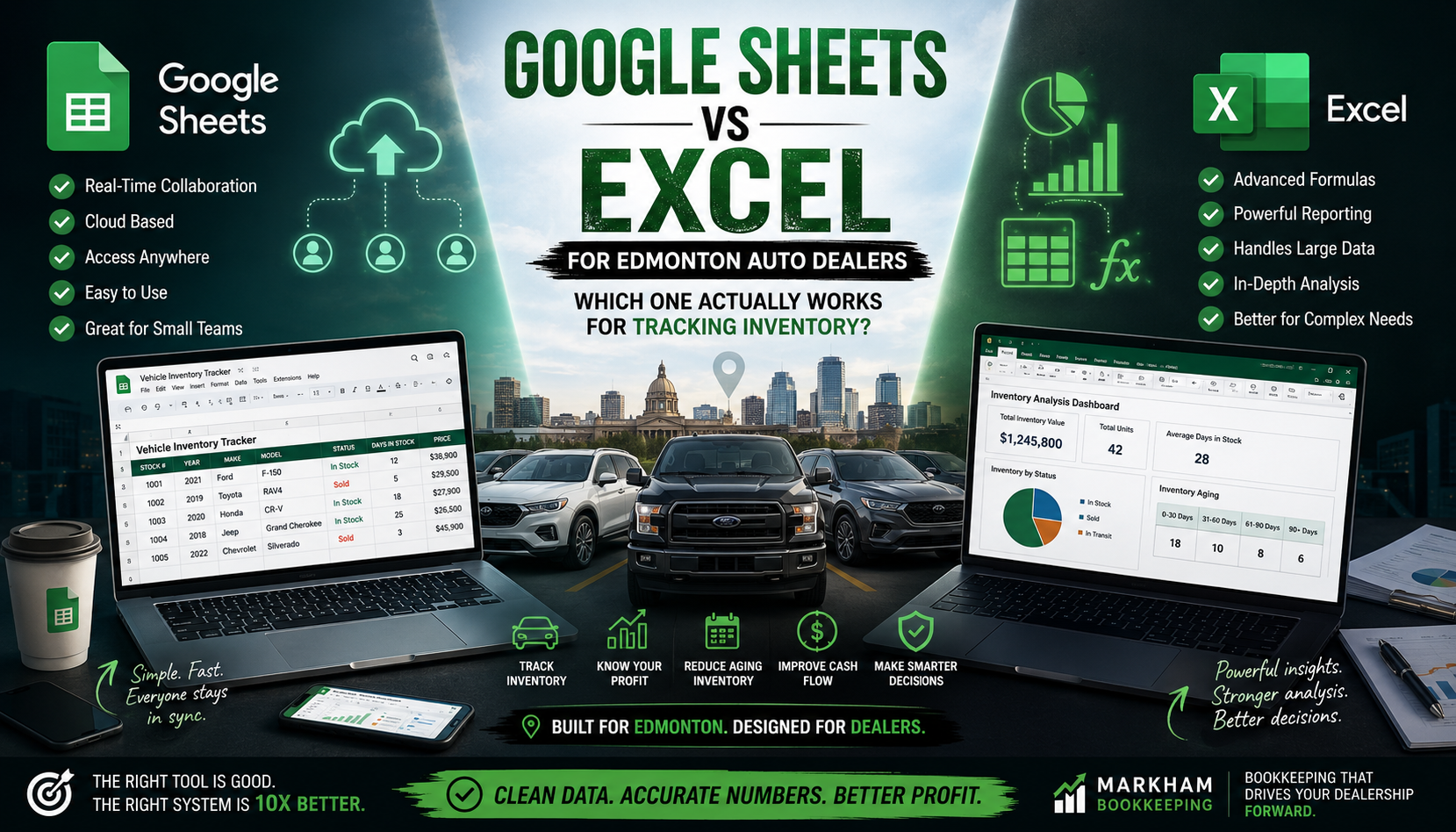
The honest answer is this: Google Sheets works well for collaboration and simple inventory tracking, while Excel is stronger for advanced reporting, large data sets, and detailed cost analysis. But neither one works properly unless your bookkeeping system is set up correctly.
Let’s break it down.
Why Inventory Tracking Matters for Edmonton Auto Dealers
Auto dealership inventory is different from regular retail inventory. You are not selling identical low-cost products. Each vehicle has its own purchase price, VIN, repair history, financing cost, transportation cost, detail cost, auction fees, warranty costs, and final selling price.
For Edmonton auto dealers, this becomes even more important because local market conditions can affect inventory movement. Winter vehicles, trucks, SUVs, used imports, work vehicles, and family vehicles may all move differently depending on season, financing rates, and buyer demand.
A good inventory tracker should help you answer questions like:
- How many vehicles are currently in stock?
- What is the total cost tied up in inventory?
- Which units are aging over 30, 60, or 90 days?
- What is the true cost per vehicle after repairs and fees?
- Which vehicles are profitable?
- Which units are eating cash?
- Which vehicles are sold but not fully reconciled?
- Are GST/HST and sales records matching your bookkeeping?
If your spreadsheet cannot answer these questions clearly, it is not really helping your dealership.
Google Sheets for Edmonton Auto Dealers
Google Sheets is popular because it is simple, cloud-based, and easy to share. For small Edmonton used car dealers, it can be a practical starting point.
The biggest advantage is real-time collaboration. If your salesperson, bookkeeper, manager, and owner all need access to the same file, Google Sheets makes that easy. Everyone can update vehicle status, sales price, repair notes, and inventory details without emailing files back and forth.
For a dealership with a small team, this is a big benefit.
You can create columns for:
- Stock number
- VIN
- Year, make, and model
- Purchase date
- Purchase price
- Auction fees
- Transport costs
- Reconditioning costs
- Total cost
- Listed price
- Sold price
- Gross profit
- Status
- Days in inventory
Google Sheets also works well if you want quick access from your phone. For Edmonton dealers who are at auctions, checking vehicles, working from the lot, or dealing with remote staff, this flexibility can be useful.
Where Google Sheets Falls Short
Google Sheets can become messy fast.
If multiple people are entering data without rules, your inventory tracker may end up with inconsistent vehicle names, missing VINs, incorrect formulas, duplicate units, or overwritten costs.
For example, one person may enter “Ford F150,” another enters “Ford F-150,” and another enters “F150 Truck.” That may not seem like a big deal until you try to filter, report, or analyze sales trends.
Google Sheets also struggles when your dealership grows. If you have hundreds or thousands of vehicle records, multiple tabs, formulas, imports, and reports, performance may slow down.
Another issue is control. Google Sheets is easy to share, but that also means it is easy to accidentally give editing access to the wrong person or allow someone to change formulas.
For small Edmonton auto dealers, Google Sheets is great for visibility. But without strong structure, it can become a shared mess.
Excel for Edmonton Auto Dealers
Microsoft Excel is still one of the strongest tools for financial tracking and inventory analysis.
For Edmonton auto dealers who need more detailed reporting, Excel can be more powerful than Google Sheets. It handles larger data sets better, offers stronger formulas, better pivot tables, advanced filtering, Power Query, and deeper reporting options.
Excel is especially useful when you want to analyze:
- Gross profit per vehicle
- Average days to sale
- Aging inventory
- Inventory by source
- Repair costs by vehicle
- Profit by salesperson
- Floor plan interest by unit
- Monthly sales trends
- Cost of goods sold
- Reconditioning expense patterns
For example, if your dealership buys vehicles from auctions, private sellers, trade-ins, and wholesalers, Excel can help you compare which source produces the best margin.
That kind of insight can help Edmonton dealers make smarter buying decisions.
Where Excel Falls Short
Excel’s biggest weakness is collaboration.
Traditional Excel files often get saved on one computer, emailed around, or duplicated. This creates version-control problems. One person updates “Inventory May Final.xlsx,” another updates “Inventory May Final Updated.xlsx,” and someone else uses “Inventory REAL FINAL.xlsx.”
That is how mistakes happen.
Excel also requires more skill. Powerful formulas, pivot tables, and reporting tools are useful, but only if someone knows how to build and maintain them properly.
For many small dealerships, Excel starts simple but becomes complicated as the business grows.
Which One Is Better for Tracking Auto Dealer Inventory?
Here is the practical answer.
Use Google Sheets if your Edmonton dealership:
- Has a small team
- Needs live collaboration
- Wants access from multiple devices
- Tracks basic inventory details
- Needs a simple cloud-based system
- Has limited spreadsheet experience
Use Excel if your dealership:
- Needs advanced reporting
- Handles larger inventory volume
- Wants detailed profitability analysis
- Tracks repair costs carefully
- Needs stronger formulas and pivot tables
- Works with a bookkeeper or accountant who can manage reports
But here is the real 10X answer:
The tool matters less than the structure.
A clean Google Sheet will beat a messy Excel file. A properly built Excel workbook will beat a poorly maintained Google Sheet. The real problem is not whether you use Google Sheets or Excel. The problem is whether your inventory system connects properly to your bookkeeping.
The Biggest Mistake Edmonton Auto Dealers Make
Many auto dealers track vehicles in one spreadsheet, sales in another spreadsheet, repairs in invoices, deposits in bank records, and accounting in QuickBooks Online.
That creates a disconnected system.
Your inventory tracker may say one thing. Your bank account says another. Your QuickBooks file says something else. At year-end, your accountant has to figure out what actually happened.
This can lead to:
- Wrong inventory values
- Incorrect cost of goods sold
- Missed expenses
- Overstated profit
- Understated profit
- GST/HST reporting errors
- Poor cash flow decisions
- Confusing financial statements
For Edmonton auto dealers, this is especially dangerous because vehicle inventory is usually one of the largest assets on the books.
If your inventory is wrong, your financial statements may also be wrong.
What an Auto Dealer Inventory Tracker Should Include
Whether you use Google Sheets or Excel, your inventory tracker should include more than just vehicle details.
A proper dealership inventory tracker should include:
Vehicle information: stock number, VIN, year, make, model, trim, colour, mileage.
Purchase details: purchase date, vendor, auction name, purchase price, buyer fee, transport cost.
Reconditioning costs: repairs, parts, detailing, inspection, tires, windshield, mechanical work.
Sales details: listing price, sale date, sold price, trade-in details, salesperson, financing notes.
Profit details: total cost, gross profit, margin percentage, days in stock.
Accounting status: paid, financed, sold, deposited, reconciled, recorded in QuickBooks.
This last part is where many dealers fail. Your spreadsheet should not only track vehicles. It should support clean bookkeeping.
Google Sheets + QuickBooks Online
Google Sheets can work well with QuickBooks Online if your bookkeeper reviews it regularly.
A good workflow could look like this:
- Vehicle is purchased and added to Google Sheets.
- Purchase cost is recorded in QuickBooks.
- Repair and reconditioning costs are added to the same vehicle row.
- Sale is recorded when the vehicle is sold.
- Bookkeeper reconciles the spreadsheet with QuickBooks monthly.
- Inventory, cost of goods sold, and GST/HST are reviewed.
This works well for small Edmonton dealers, especially if the file is maintained consistently.
Excel + QuickBooks Online
Excel can be better when you want monthly reporting and stronger analysis.
A good workflow could look like this:
- Export transactions from QuickBooks.
- Import vehicle inventory data into Excel.
- Use pivot tables to summarize costs and sales.
- Review aging inventory.
- Match sold vehicles to revenue and cost of goods sold.
- Produce monthly dealership management reports.
This is powerful, but it needs someone who understands both Excel and dealership accounting.
The Best Setup for Edmonton Auto Dealers
For most Edmonton auto dealers, the best setup is not simply Google Sheets or Excel.
The best setup is:
A clean inventory tracker + QuickBooks Online + monthly bookkeeping review.
That gives you three important things:
- A live view of your vehicles.
- Accurate accounting records.
- Useful reports for decision-making.
If your dealership is small, Google Sheets may be enough. If your dealership is growing, Excel may offer better reporting. But as soon as your inventory becomes difficult to manage, you may need a more structured system.
Final Verdict: Google Sheets or Excel?
For simple day-to-day inventory tracking, Google Sheets is usually better because it is easy to share, easy to update, and accessible from anywhere.
For advanced dealership reporting, Excel is usually better because it gives you stronger analysis, better reporting tools, and more control over financial data.
But for Edmonton auto dealers, the real winner is the system that keeps your inventory, bookkeeping, and financial reports aligned.
A spreadsheet should not just list vehicles. It should help you understand cash flow, profit, inventory aging, and true vehicle cost.
If your current inventory tracker does not show your real profit per vehicle, your aging units, and your total cost tied up in stock, it is time to clean it up.
At Markham Bookkeeping, we help Edmonton auto dealers organize their bookkeeping, inventory tracking, payroll, GST/HST, and financial reporting so they can make better decisions with cleaner numbers.